Book Appointment Now

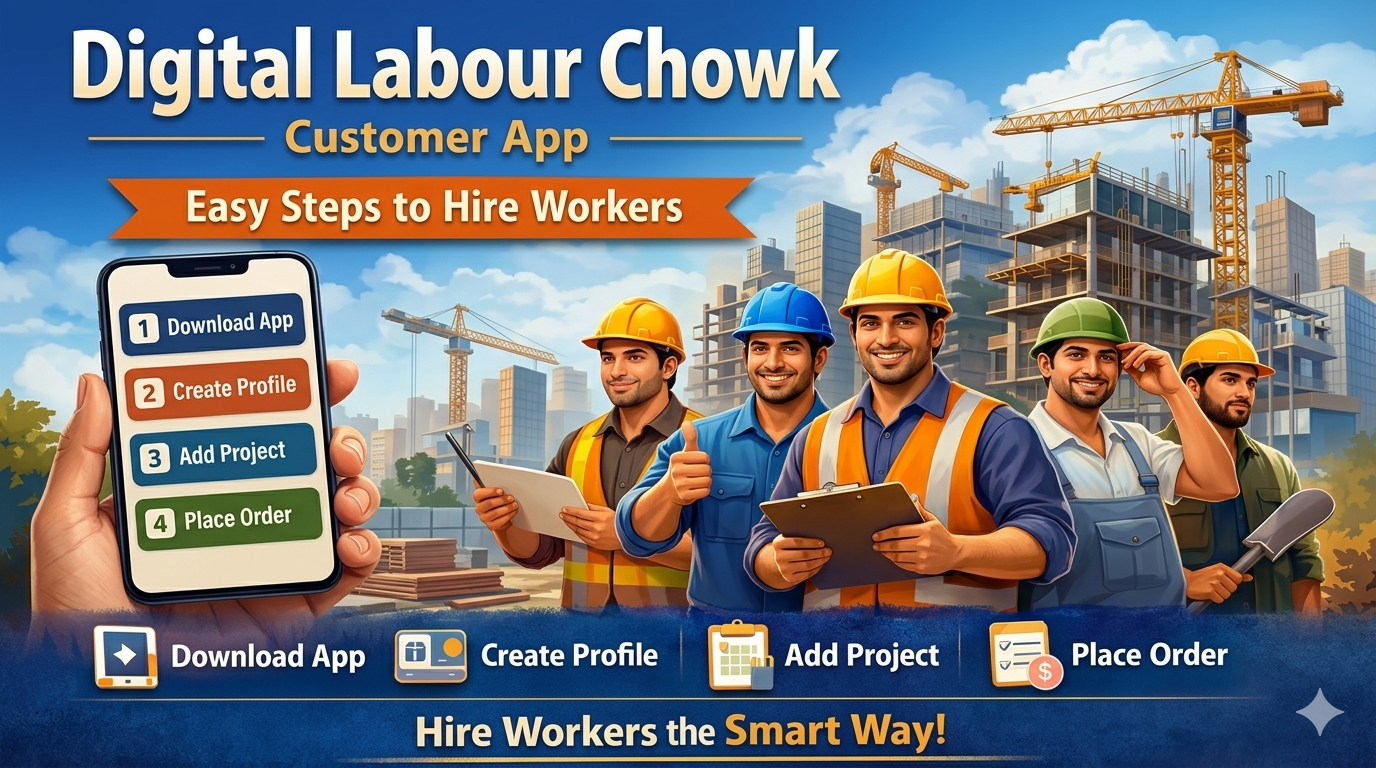
Digital Labour Chowk Customer App: Easy Steps to Hire Workers
Hiring construction workers in India has traditionally been a time-consuming and uncertain process. Contractors and builders often depend on labour chowks, phone calls, multiple middlemen, and last-minute arrangements. This system frequently leads to common problems such as worker no-shows, unclear wages, payment disputes, and poor workforce planning.
The Digital Labour Chowk Customer App is designed to change this outdated system. It provides contractors, builders, engineers, and businesses with a simple, transparent, and fully digital way to hire workers—without running to labour chowks or chasing contractors.
Below is a step-by-step explanation of how the entire hiring process works on the app.
Step 1: Download the App from the Play Store
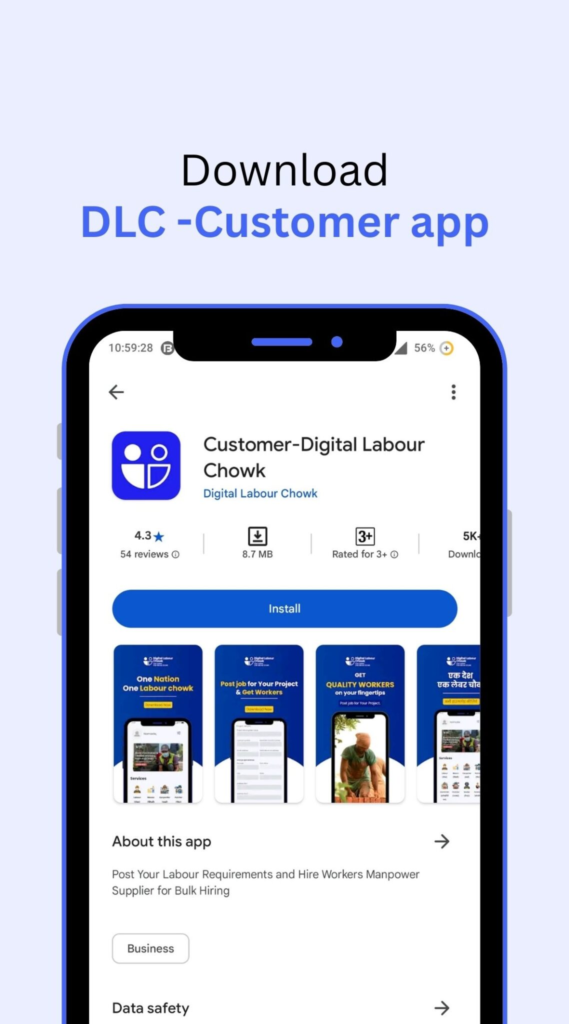
The process begins with downloading the Digital Labour Chowk Customer App from the Google Play Store. Simply search for Digital Labour Chowk Customer App, install the app, and open it on your mobile phone.
The app is designed to be user-friendly and works smoothly even for first-time users. No technical expertise is required. Once the app is installed, you are ready to set up your business profile and begin hiring workers digitally.
Step 2: Create Your Business Profile
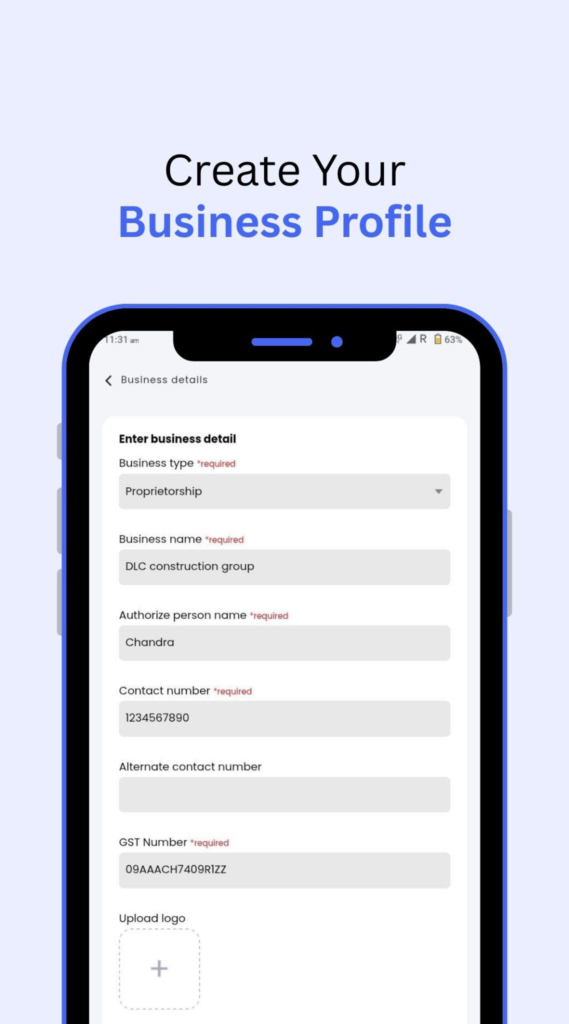
Creating a business profile is an essential step. This helps the system understand who you are and what type of work you do, ensuring that workers are matched correctly with your requirements.
You will be asked to provide basic but important details, including:
- Business type (Contractor, Builder, Company, Individual, etc.)
- Business name
- Authorized person’s name
- Contact number
- Email address
- Business address
This information builds transparency and trust between employers and workers. A verified profile also helps reduce fake job postings and ensures serious hiring only. Once your profile is completed, you can move forward to creating projects.
Step 3: Create a Project
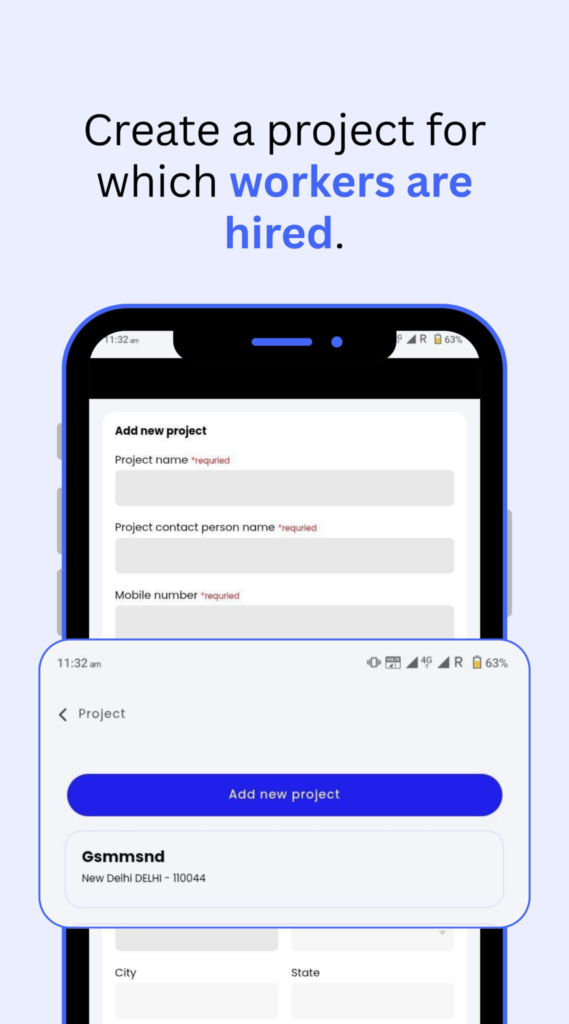
Every labour requirement on the app is linked to a project. This ensures workers clearly understand where the work is located and who is responsible for managing the site.
While creating a project, you will enter:
- Project name
- Project engineer name
- Contact number
- Email address
- Complete project address
If you are managing multiple sites or locations, you can easily create multiple projects within the same account. This structure helps in organizing manpower across different locations and improves overall planning.
After creating a project, you can proceed to placing a labour order.
Step 4: Create an Order
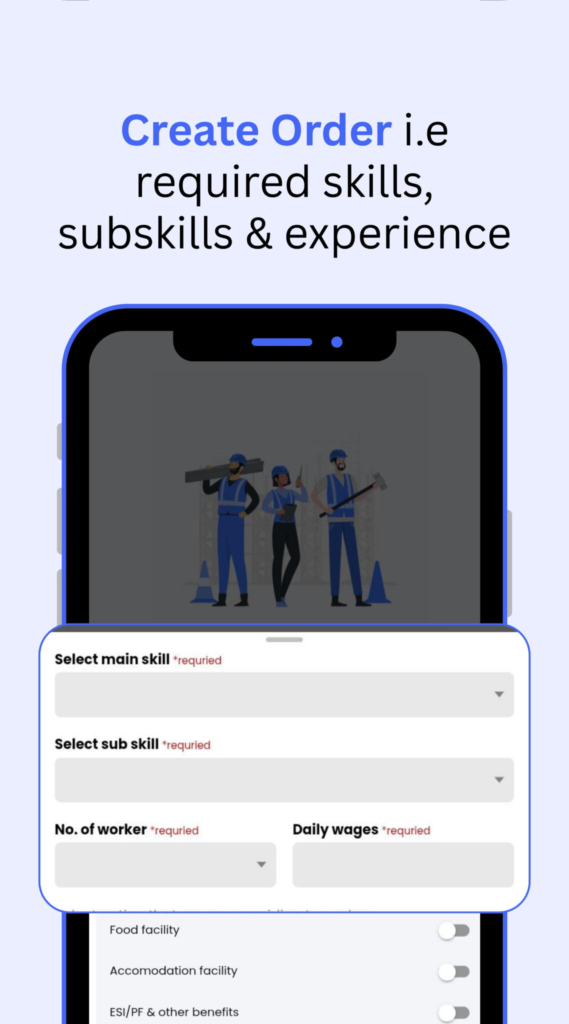
This is the most critical step in the hiring process. Here, you clearly define your workforce requirements so there is no confusion later.
You will be asked to provide details such as:
- Number of workers required
- Complete work address
- Start date of work
- End date of work
- Accommodation and food details (if provided)
- Daily wages of workers
By mentioning wages, duration, and facilities upfront, workers know exactly what they are accepting. This transparency significantly reduces disputes, absenteeism, and last-minute cancellations. Both parties enter the job with clear expectations.
Why This Digital Process Matters
The Digital Labour Chowk Customer App is not just about convenience—it addresses long-standing problems in labour hiring.
For contractors and builders, it offers:
- Clear and structured hiring
- Transparent wage visibility
- Reduced dependency on middlemen
- Better workforce planning
- Fewer disputes and delays
For workers, it ensures:
- Clear job details
- Fair and visible wages
- Respect and dignity
- Predictable and reliable work
Final Thoughts
Construction and daily-wage hiring do not have to remain informal, uncertain, and stressful. The Digital Labour Chowk Customer App brings structure, transparency, and professionalism to the entire process.
By following four simple steps—download the app, create your profile, add a project, and place an order—you can hire workers the modern way.
Less chaos. More clarity.
That’s digital labour hiring done right.